Snapchat Planets Not Showing? Easy Fixes
Snapchat Planets is one of the most popular Snapchat Plus features, allowing users to see their closest friends ranked in a solar system style. However, many users report a common issue: Snapchat Planets not showing in their app.
If you are facing this problem, don’t worry. This is a fairly common issue and usually happens due to settings, subscription status, or app glitches rather than a permanent problem.
In this guide, we’ll explain why Snapchat Planets may not appear and provide simple fixes to restore the feature.
What Are Snapchat Planets?
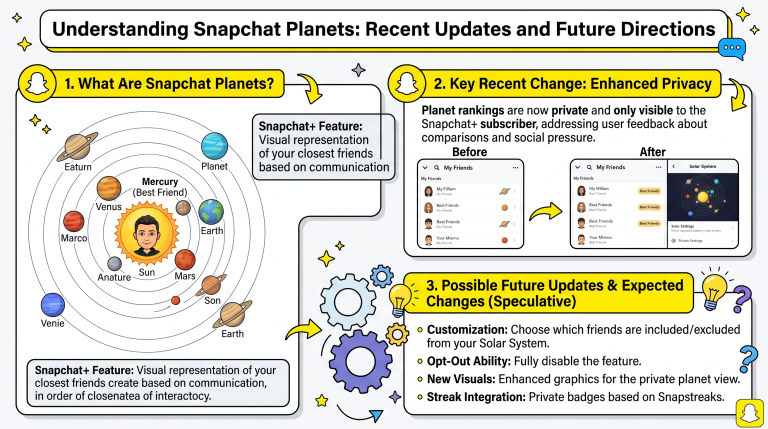
Snapchat Planets is part of the Snapchat Plus Friend Solar System feature. It assigns planets to your top eight friends based on interaction levels.
You are the Sun, and your friends are ranked as:
- Mercury (closest friend)
- Venus
- Earth
- Mars
- Jupiter
- Saturn
- Uranus
- Neptune (eighth friend)
If the feature is working correctly, you can tap a friend’s profile badge to see their planet position.
Why Snapchat Planets May Not Be Showing
There are several reasons why the Snapchat Planets feature might not appear on your account.
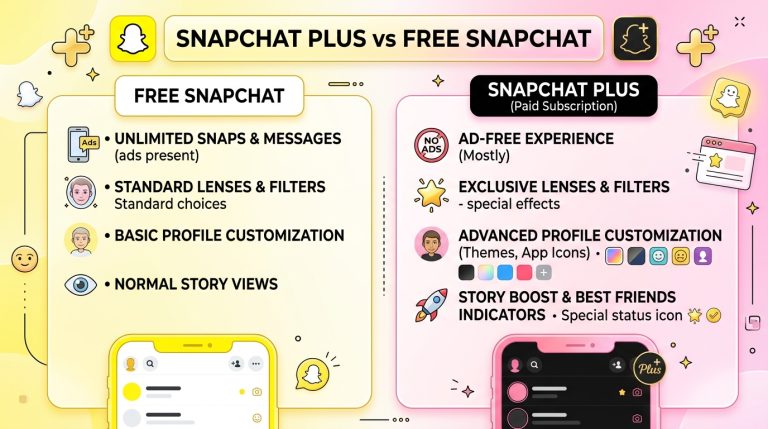
You Don’t Have Snapchat Plus
The most common reason is that Snapchat Planets is a premium feature.
If you are using the free version of Snapchat, you will not see:
- Friend Solar System
- Planet rankings
- Best friend badges related to planets
Without Snapchat Plus, the feature remains locked.
Snapchat Plus Not Activated Properly
Even if you purchased Snapchat Plus, the feature may not appear if it is not activated correctly.
This can happen due to:
- Subscription sync issues
- Account login problems
- Payment not fully processed
In such cases, Snapchat Plus features may not load properly.
Outdated Snapchat App
Using an older version of Snapchat can cause missing features.
Snapchat Planets may not appear if:
- Your app is outdated
- You haven’t updated in a long time
- Your device is blocking updates
The feature requires the latest app version to function correctly.
Feature Not Available in Your Region
Snapchat sometimes rolls out features gradually.
This means:
- Some countries get updates later than others
- Certain accounts may not receive features immediately
- Server-side updates can delay access
If Snapchat Planets is not available in your region yet, it may not show even with Snapchat Plus.
Friend Is Not in Your Top 8
Snapchat Planets only appear for your top eight friends.
If a person:
- Is not in your top 8
- Has low interaction with you
- Recently dropped in ranking
Then no planet will be shown for that friend.
App Cache or Glitches
Temporary app issues can also hide Snapchat Planets.
Common causes include:
- Corrupted cache data
- Temporary server bugs
- App freezing or lagging
- Background process errors
These issues often resolve after refreshing the app.
How to Fix Snapchat Planets Not Showing
If your Snapchat Planets are missing, try these solutions one by one.
Restart the Snapchat App
A simple restart can fix temporary glitches.
Steps:
- Close Snapchat completely
- Remove it from recent apps
- Reopen the app
- Check friend profiles again
This often restores missing features instantly.
Check Your Snapchat Plus Subscription
Make sure your subscription is active.
To check:
- Open Snapchat
- Go to your profile
- Tap Snapchat Plus
- Confirm subscription status
If your subscription expired, Planet features will disappear.
Update Snapchat
Updating the app is one of the most effective fixes.
Steps:
- Go to Play Store or App Store
- Search Snapchat
- Tap Update if available
New updates often fix missing feature bugs.
Clear Cache (Android & iOS)
Clearing cache can resolve hidden glitches.
Steps:
- Open Snapchat Settings
- Scroll to “Clear Cache”
- Tap confirm
- Restart the app
This removes temporary files without deleting your account.
Log Out and Log Back In
Refreshing your session can restore missing features.
Steps:
- Log out of Snapchat
- Close the app
- Log in again
This forces Snapchat to reload your subscription features.
Check Internet Connection
Poor internet can prevent Snapchat features from loading.
Make sure:
- You have stable Wi-Fi or mobile data
- Your connection is not restricted
- VPN is not interfering
A weak connection may hide Snapchat Plus features.
Reinstall Snapchat
If nothing works, reinstalling the app can help.
Steps:
- Uninstall Snapchat
- Restart your phone
- Install Snapchat again
- Log in and check features
This resets all app data and fixes deeper issues.
Are Snapchat Planets Permanently Missing?
In most cases, no.
Snapchat Planets usually disappear due to:
- Temporary bugs
- Subscription sync issues
- Outdated app versions
Once fixed, the feature returns automatically.
Can Free Users Access Planets?
No.
Snapchat Planets is strictly part of Snapchat Plus.
Free users will not see:
- Planet rankings
- Solar System badges
- Friend position indicators
Upgrading is required to unlock the feature.
Why Snapchat Planets Matter to Users
Even though it’s just a visual feature, users enjoy Snapchat Planets because it:
- Shows friendship rankings
- Adds a fun visual system
- Helps track close friends
- Makes Snapchat more interactive
That’s why missing it can feel confusing or frustrating.